
One platform for students, teachers and governments
A student app, a school console and a government dashboard, all reading from the same record of what each student has learned. Built and run by Axxonet.
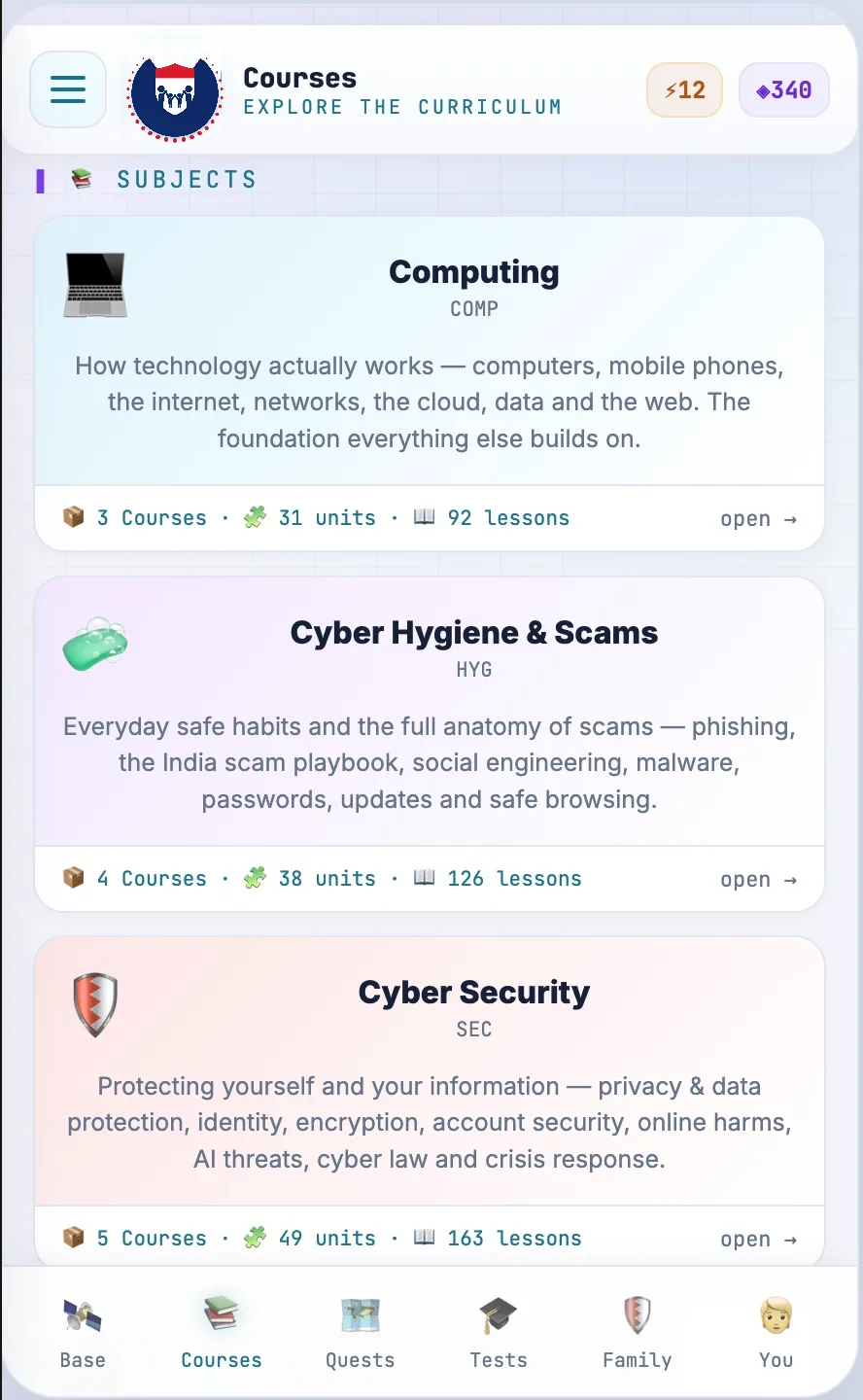
Learn by playing
Short lessons, animated stories and quizzes in your language, on your own phone or in a browser at school. Earn points, unlock ranks and get a certificate for every level you finish.
- Lessons in more than 20 languages
- Works offline on low-cost phones
- Points, ranks, badges and printable certificates
- Weekly missions and monthly competitions
- Report a suspicious message from inside the app
Teach with confidence
A ready lesson plan for every session, class progress at a glance, and a two to three day certification so your own teachers can run the program if you prefer.
- Session-by-session lesson plans, slides and worksheets
- Assign modules and see who finished them
- Class and school progress, before and after
- Teacher certification with refresher webinars
- Helpdesk for technical and content questions
Measure real impact
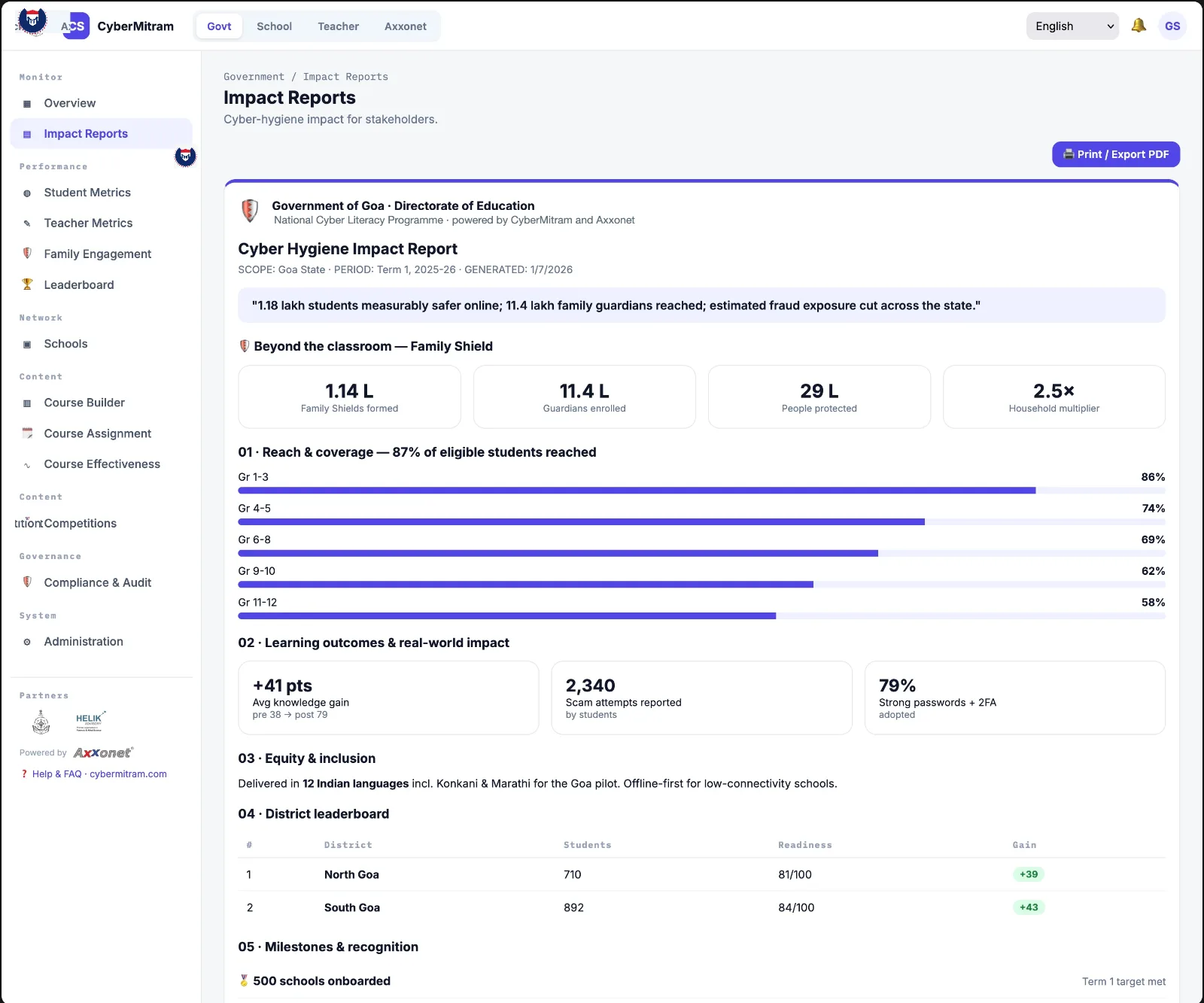
Pre and post assessments show how awareness changes across schools, districts and the state, with quarterly reports ready for decision makers.
- State, district and school dashboards
- Pre and post assessment scores by grade
- Reach, completion and certification rates
- Quarterly reports and an annual impact report
- Compliance and audit view of who accessed what
Built for the schools we actually have
Low-cost Android phones
The app is light and runs on entry-level devices. A browser version covers computer labs and shared family laptops.
Patchy connectivity
Core modules download on the school Wi-Fi and work offline. Progress syncs when the phone next connects.
Classrooms without a lab
Sessions run with a projector and speaker, or with printed worksheets and activity sheets where there is neither.
Nothing to install at the school
The console and dashboards run in a browser. A school is onboarded with a list of classes and a coordinator's email.
How student data is protected
A cyber safety program has to be the safest system a school uses. We collect the minimum, encrypt all of it, and delete it when the program ends.
- What we collect
- Name, school, grade, a login and learning progress. No location, no contacts, no photos.
- Consent
- Clear parental consent for every student under 18, collected through the school before an account is created.
- Encryption
- AES-256 for data at rest, TLS 1.3 for data in transit.
- Who can see it
- Role-based access: a teacher sees their class, a principal their school, a district officer aggregate numbers. Every access is logged.
- Leaderboards
- Names are visible only inside a student's own class. School and district rankings use anonymous identifiers, and any student can hide their name.
- Retention
- Deleted at the end of the school year or when a school leaves the program. Regular security audits and penetration tests.
Reports that reach decision makers
Dashboards are for the people running the program day to day. For everyone else, the platform produces two documents a year that can be printed and put on a desk.
Quarterly report
- Progress against milestones
- Enrolment and reach by school and district
- Pre and post assessment results
- Engagement: sessions held, modules completed
- Issues found and what was done
- Recommendations for the next quarter
Annual impact report
- Students reached and schools involved
- Learning outcomes and behaviour change
- Teacher and parent feedback
- Anonymised case studies
- Cost and benefit analysis
- Lessons learned and the plan for next year
From first meeting to statewide
Plan and localise
Agree the schools and grades, translate and adapt content for the state, certify the first instructors, and collect parental consent.
Pilot
A first group of schools takes the baseline assessment and runs a full year of sessions. Their results shape the statewide rollout.
Scale
District by district, with more certified instructors, school coordinators, a helpdesk, and quarterly reports to the department.
Start with a demo for your teachers.
Book a school demo